The Sub-Bass Recipe That Translates On Every System
 ReOrder
·Jul 22, 2026
·9 min read
ReOrder
·Jul 22, 2026
·9 min read
title: “The Sub-Bass Recipe That Translates On Every System” slug: sub-bass-recipe-translates-every-system excerpt: “Your sub-bass sounds massive in the studio but disappears on a phone speaker and falls apart in a club. Here is the exact recipe that fixes all of that — with specific settings for Serum, Wavetable, and Vital.” category: Bass / Sound Design publish_date: 2026-07-22 18:00:00+02:00 tip_number: 33 —
Target keyword: trance sub-bass that translates Secondary keywords: sub-bass sound design trance, serum sub-bass settings, trance bass recipe, bass that works on every system Rank Math focus keyword: trance sub-bass that translates Meta description: Your sub-bass sounds massive in the studio but disappears everywhere else. Here is the exact sub-bass recipe — with specific settings for Serum, Wavetable, and Vital — that translates on every system.
You spent an hour on your sub-bass. It sounds enormous through your studio monitors. Chest-rattling, deep, powerful. You bounce it, throw it on your phone, and there is basically nothing there. You take it to a club, it is muddy in the front and non-existent in the back. Your producer friends listen through headphones and say “is there a bass in this?”
This is the most common bass problem in trance production, and it is almost never about volume. It is about how you build the sub in the first place.
So let me walk you through the recipe I have been using for years — the one that makes a sub-bass that sounds big in the studio AND translates everywhere else. I will give you the exact settings for three different synths, so you can follow along in whatever you have got.

Why most sub-basses fail to translate
Here is the thing about sub-bass energy: anything below 30 Hz is essentially inaudible on most playback systems. Phone speakers, earbuds, laptop speakers, even a lot of club systems with smaller subs — they physically cannot reproduce those very low frequencies. If your fundamental is sitting at 25 Hz, what the listener actually hears is the harmonics above it. And if you have not set up those harmonics deliberately, what they hear is either nothing or a vague rumble with no pitch.
The target is a fundamental around 55 Hz. That sits right in the sweet spot — low enough to feel like real sub-bass on good systems, but high enough that the fundamental itself is audible on smaller ones. Everything in the recipe below is built around hitting that 55 Hz target cleanly.
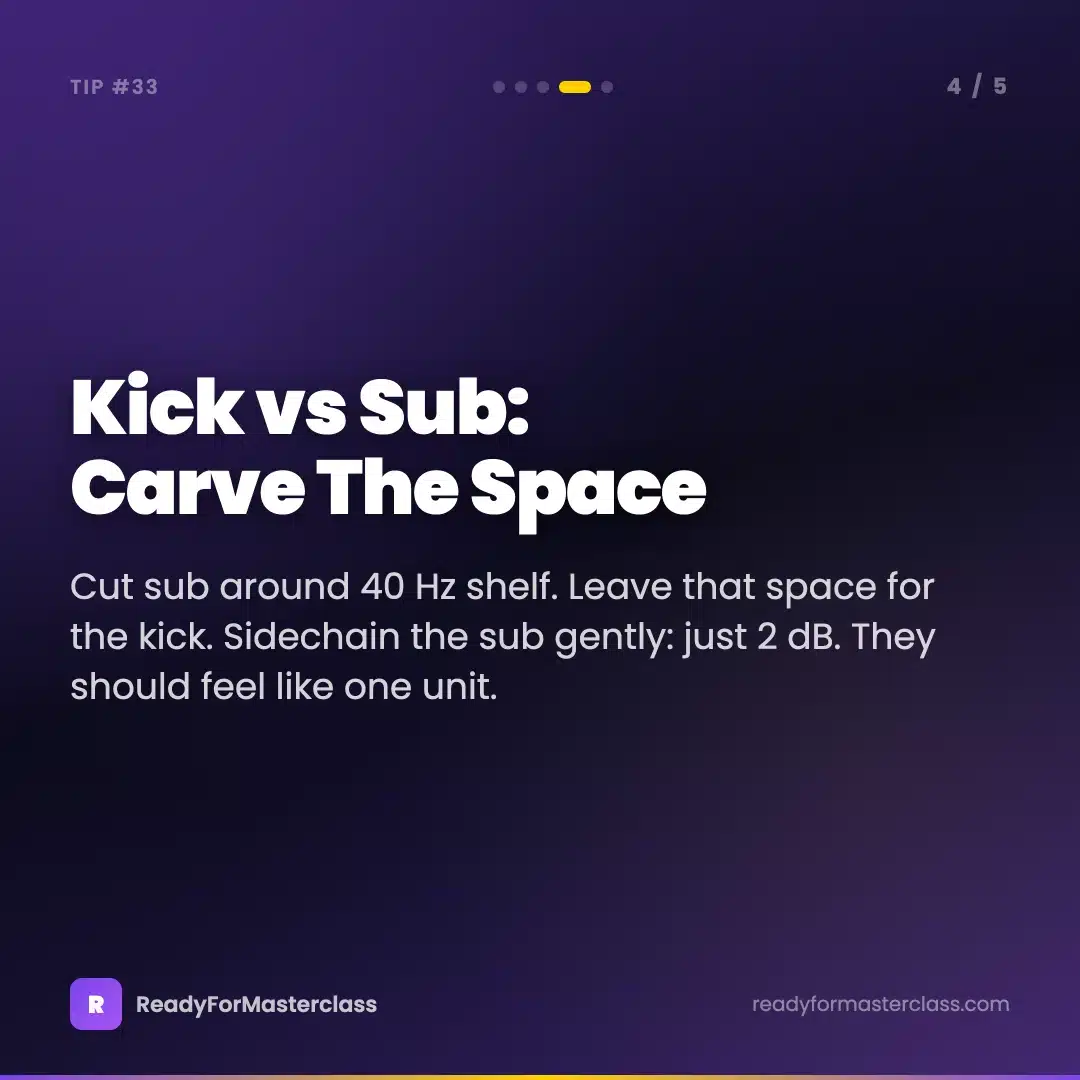
The second problem is kick and sub fighting over the same frequency space. If your kick’s fundamental is at 60 Hz and your sub’s fundamental is also at 60 Hz, they are competing for the exact same real estate every time they hit together. One of them loses. Usually the sub, because the kick transient has more attack energy. The fix is to carve out a narrow space below 40 Hz and leave it exclusively for the kick’s lowest extension, then keep the sub sitting above that.

The Serum method — Tibor’s preferred approach
Alright, so this is the one I use most of the time. It gives you the most control over the character of the sub, and once you have the patch dialled in it is super flexible.
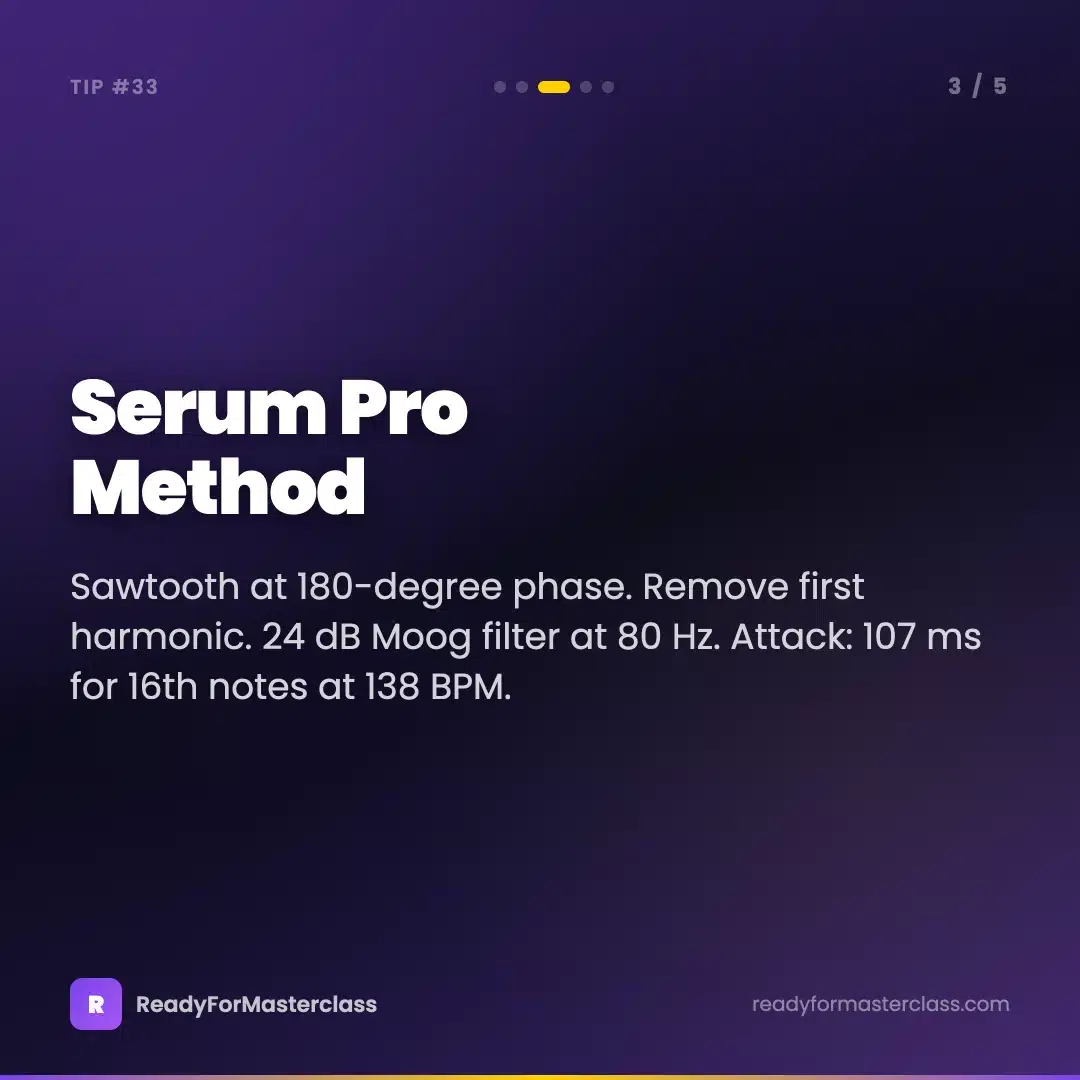
Start with a basic sawtooth wave in oscillator A. Pull the phase to 180 degrees. This creates an anti-phase movement at the start of each note — the oscillator does not slam from zero, it eases in with a slight backward sweep first. On a sub-bass, this translates to a smoother onset that sits better under a kick without clashing on the transient.
Now remove the first harmonic. In Serum’s wavetable editor, you can do this by going into the wavetable and pulling the fundamental harmonic slider down. What this does is clear out some of the muddiest low-mid energy and gives the sub a cleaner, more focused low-end. It sounds counterintuitive — removing energy to make it sound bigger — but the remaining harmonics stack better without the first one cluttering the bottom.
Filter setup: Moog 24 dB low-pass, cutoff around 80 to 100 Hz. This is not opening the filter up, this is keeping it nearly closed. You are using the filter as a tone shaper, not a traditional synth filter sweep. The Moog 24 dB character adds a subtle warmth at the cutoff point that gives the sub a bit of presence without high-mid content.
Filter envelope: attack at 107 milliseconds. This is specific and intentional. At 138 BPM, a 16th note is approximately 108 milliseconds. Setting the attack to 107ms means the filter opens almost exactly one 16th note after the note triggers. You get a rolling, pumping quality — the sub swells into each note rather than slamming in. Sustain all the way down. Let the filter close as the note holds. This gives you that signature trance sub movement.
For the LFO tool: place it on the oscillator and set it to the note rate. This creates the rolling effect that makes trance sub-bass recognisable. The LFO is not doing a dramatic wobble — it is a gentle volume pulse that adds groove.
Sidechain: use Kickstart or LFO Tool. Target around a 2 dB boost per note hit rather than the deep ducking you might use on a pluck or lead. The sub does not need to disappear on the kick — it needs to be rhythmically aware of it.
The Wavetable method — standard Ableton approach
If you are working in Ableton and want to stay in the native ecosystem, Wavetable gets you very close with a simpler setup.
Load Wavetable, sawtooth wave. Set up a rolling baseline in your MIDI pattern — 16th notes at the same pitch, with occasional octave drops for variation. This rolling pattern is what gives trance sub-bass its signature feel. A whole-note held sub sounds fine on its own and completely wrong in a trance arrangement.
On the filter, cut around 40 Hz using a high-pass shelf. This is the kick carveout I mentioned earlier — you are leaving that 20 to 40 Hz zone available for the kick to own and keeping your sub focused above it.
Now add Ableton’s Multi-Band Dynamics to the sub channel, targeting the 30 to 80 Hz band. Set 2 to 3 dB of compression on that band. This is not heavy compression — it is just evening out the low-end so the sub does not spike on certain notes and disappear on others. You want consistent sub energy across the whole bassline, and this is the easiest way to get it without over-processing.
The 16th note rolling pattern with occasional octave drops is the key thing here. Listen to any classic trance track from the early 2000s onwards and you will hear this structure. The sub is not just holding a drone — it is an active melodic and rhythmic element.
The Vital method — modern approach
Vital is worth knowing for sub-bass because of how it handles unison. Load a sawtooth, then push the unison count to somewhere between 7 and 12 voices. Keep the detune very narrow — 1 to 3 cents maximum. This gives the sub a slightly richer, more complex character without the wide stereo spread you get from conventional unison settings. At these values the unison voices stack in mono, which is exactly what you want for a sub.
24 dB low-pass filter with a small amount of drive — 1 to 2 dB. The drive in Vital’s filter adds a very gentle saturation at the bottom that makes the sub feel more physical. You are not distorting it. You are just warming it up.
Amp envelope: short attack (10 to 30 milliseconds), sharp decay, sustain all the way down. This is the opposite of the Serum method in terms of envelope shape, and it gives you a different character — punchier, more transient-led. Good for uplifting trance where you want the bass to feel snappy against the kick rather than flowing under it.
Once you have the patch dialled, move the whole synth down an octave. You want the fundamental sitting in that 30 to 80 Hz range, with 55 Hz as the target centre.
Frequency hygiene — the part most people skip
Getting the synth patch right is half of it. The other half is managing what happens to the sub in your mix chain.
R-Bass is worth adding as a send effect for sub emphasis. It generates sub-harmonics below whatever signal you feed it, which adds perceived low-end weight without actually boosting low frequencies — useful if you want more sub presence without increasing the peak level.
More important is keeping the sub out of the stereo field. Your sub-bass should be fully mono. Any stereo content below about 120 Hz is not just unnecessary — it actively hurts your mix. It creates phase issues in the low end, causes mono incompatibility problems, and wastes headroom on energy that most speakers cannot even reproduce. Drop a Utility on the sub channel, or use a Multiband Stereo Imager and set the low band to full mono. This one change will make your sub feel tighter and more powerful immediately.
EQ sweep to find any rogue resonances. Play a sustained note and sweep a narrow band through the 40 to 200 Hz range. If you find a frequency that spikes out — sounds noticeably louder or more ringy than the frequencies around it — notch it out. Resonances in the sub create notes that translate worse than others, which is why your bass sounds inconsistent across different notes in the pattern.
Finally: test in mono. Every time. Before you decide your sub is done, drop a Utility on the master, set Width to 0%, and listen. If the sub gets dramatically quieter or disappears, you have a phase issue. If it stays present and solid, you are good.
Try this today
Pick any project where your bass is not translating. Open Serum, load a sawtooth, pull phase to 180 degrees, set the Moog filter to 24 dB with cutoff at 90 Hz, and dial in a 107ms filter attack with sustain all the way down. Then put a Utility before the channel output and confirm it is full mono.
Play back through your phone or headphones. That rolling, present quality — the one that works on every system — is what you are going for.
For a deeper look at trance bass from the ground up — including the full layered bass approach with kick interactions and groove techniques — the Trance and Psy Trance Bass course covers all of it with full Ableton template walkthroughs.

Level up your sound design
The ReOrder Producer Sample Pack Bundle includes sub-bass patches, kick-and-bass loop examples, and layered bass construction kits built from the same methodology covered in this tip. Every sample is tuned, mono-checked, and ready to drop straight into your project.